Professional Conference Management
Conference Registration Software Built for Scale
Streamline attendee management from registration to check-in. Self-service registration, QR code badges, CSV data export, and comprehensive analytics for professional conferences.
- Self-service registration
- QR code check-in
- Team management

- Self-service registrationPublic link, custom fields
- QR check-inInstant, offline-capable
- CSV exportFull attendee data
- Team managementDoor staff & roles
Features
Everything you need for professional conferences
From attendee registration to post-event analytics, manage every aspect of your conference with ease.
Self-Service Registration
Share a public registration link. Attendees register online, fill custom forms (company, job title, dietary needs), and receive instant QR code confirmation.
QR Code Check-In
Staff scan QR codes for instant check-in. Works offline, syncs automatically. Real-time attendance tracking across all devices.
CSV Data Export
Export complete attendee lists with all registration data, payment status, and check-in timestamps. Perfect for post-event analysis, sponsor reports, and CRM integration.
Custom Registration Fields
Collect any data you need: company name, job title, dietary requirements, t-shirt sizes, session preferences. Export everything to CSV.
Attendee Analytics & Reports
Export detailed CSV reports with registration data, payment status, session attendance, and check-in timestamps. Perfect for post-event analysis and sponsor reports.
Team & Door Staff Management
Invite team members and door staff with specific roles. Grant check-in access to volunteers and coordinators, each on their own device.
Conference Management Software: Registration to Check-In
Running a conference means juggling dozens of moving parts, and the best conference management software brings them all into one place. With GuestlistOnline, you can build a custom registration form in minutes, collect payments, and issue branded QR badge confirmations automatically. Attendees self-register via a public link, freeing your team from manual data entry and paper sign-up sheets.
As your event scales, the platform scales with you. Create multiple ticket types for different attendance tiers, manage speaker and session track assignments, and give staff role-based access for check-in. On the day, door teams scan QR badges for instant check-in. The system works offline and syncs when connectivity returns, so queues never form at registration desks.
After the event, export a complete attendee dataset (registration responses, check-in timestamps, payment status) in one CSV download. Share clean sponsor reports without handing over raw data, and feed post-event analytics into your CRM. Whether you run a 50-person seminar or a 5,000-delegate industry conference, the workflow stays the same.
Get started free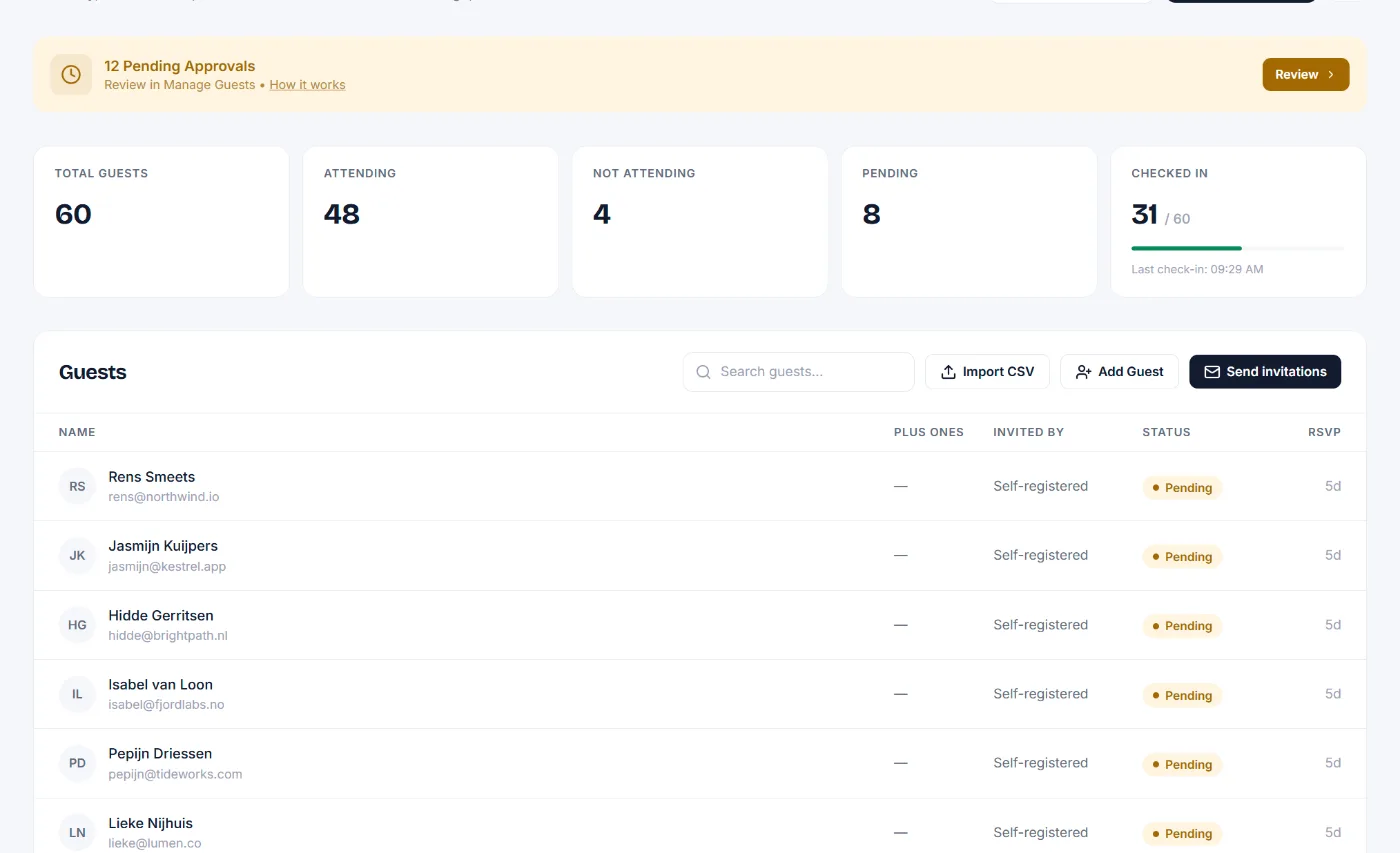
Corporate Event Registration: Simple and Professional
Corporate event registration has unique requirements that generic tools never quite handle. You need to collect professional details (company name, job title, department) as part of the registration form. You may need approval workflows for internal events, where employees request a spot and a manager confirms. And for paid conferences, you need payment processing that generates proper receipts for expense claims.
GuestlistOnline handles all of this out of the box. Add any custom fields to your registration form in seconds. Enable registration approval so every attendee is vetted before receiving their confirmation. Accept credit card payments through Stripe, with automatic email receipts suitable for corporate expenses. Everything runs under your brand: white-label branding means attendees see your company name and logo throughout, with no "Powered by" watermarks anywhere on the registration page or confirmation emails.
Whether you are managing a single internal training day or a full external conference with paid delegates, corporate event registration on GuestlistOnline keeps the process professional from the first click to the final check-in scan.
Learn about event registrationTrade Show and Seminar Registration Software
Trade show registration software needs to handle a different kind of attendee flow. Exhibitors need badge management so booth staff can check in visitors quickly. Walk-in registrations happen at the door, and the system must cope without a reliable internet connection on the show floor. GuestlistOnline's QR check-in works fully offline, syncing automatically when connectivity is restored, making it reliable whether you are running a regional trade expo or a purpose-built exhibition hall event.
For seminars, workshops, and training events, the registration process is often simpler but no less important. Share a seminar registration link via email or your website, collect attendee details and payment if applicable, and let the system send automated confirmation emails with QR codes. Multi-day event support means you can track attendance across sessions and know exactly who attended each day. Walk-in registration at the venue is handled from the same dashboard used for pre-registered attendees.
After the event, export the full attendee list for sponsors and exhibitors, with name, company, job title, and any other fields you collected. No more spreadsheet wrangling: the data is clean, complete, and ready to share.
Start your trade show or seminar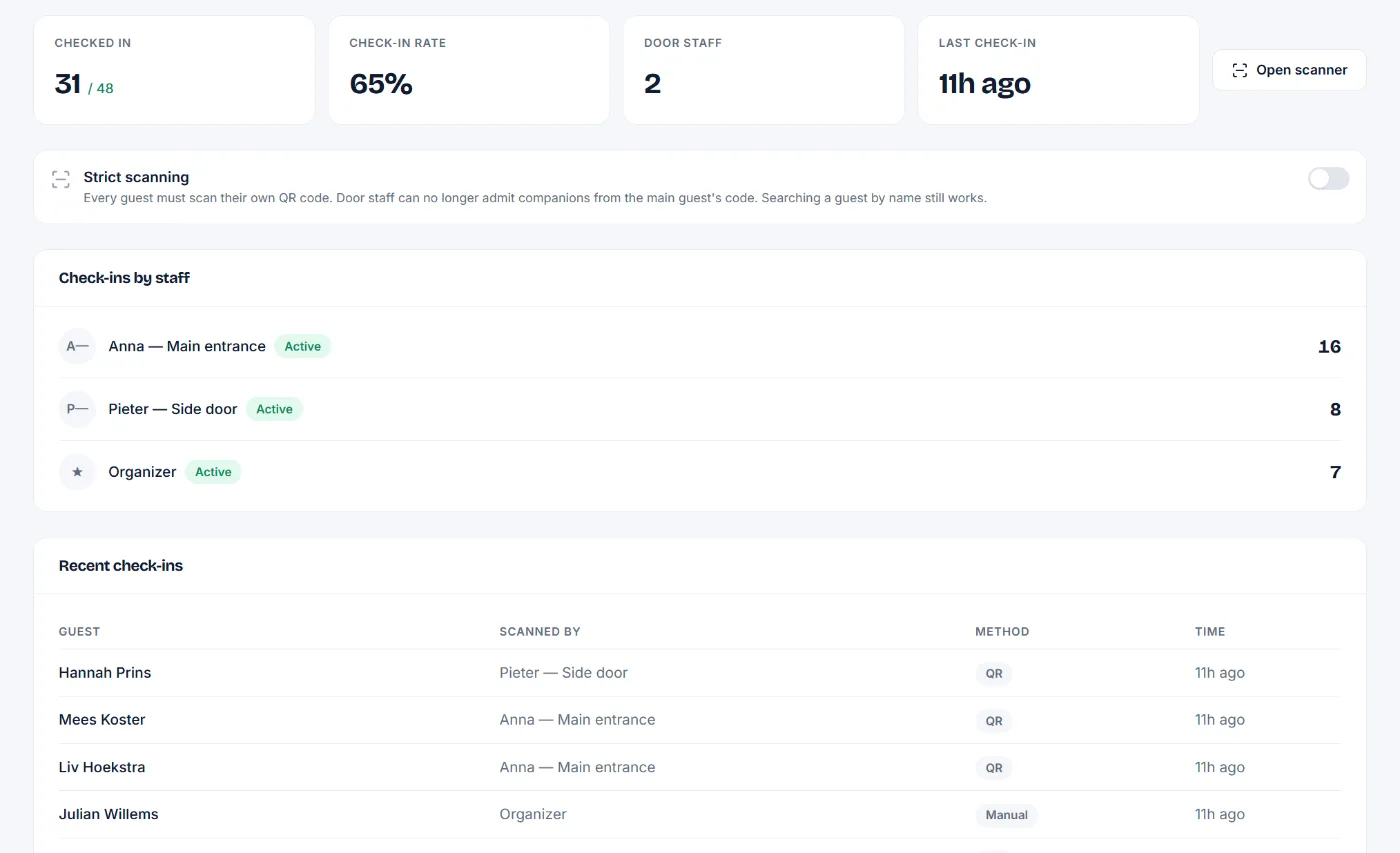
From setup to check-in in minutes
A simple workflow that scales from intimate gatherings to large-scale events.
- 1
Create Your Event
Set up your event with all the details: name, date, location, and pricing options. Upload your flyer to make it stand out.
- 2
Add Your Guests
Add guests manually, import a CSV, or share a public registration link. Set pricing tiers for VIPs, artists, or general admission.
- 3
Send Invitations
Send branded email invitations with a single click. Guests receive a personalized RSVP link with payment options if needed.
- 4
Collect RSVPs & Payments
Guests confirm attendance and complete payment (if required). They receive a unique QR code for entry.
- 5
Check Guests In
Door staff scans QR codes for instant check-in. Real-time updates keep everyone in sync.
Comparing conference registration platforms? See how GuestlistOnline compares to Eventbrite, RSVPify, Splash, and Luma.
What it costs
Free registration for free events. A small fee only when you sell tickets.
The free plan covers one event with up to 50 attendees and the basic registration form. Larger conferences use the one-time per-event upgrade or Pro for unlimited attendees, custom fields and branding, email reminders and QR check-in. When you sell tickets, the platform fee is €0.25 plus 5% per ticket sold, which includes payment processing. Free events pay no platform fee at all.
See the pricing page- No marketplace
Your conference is not listed next to others. Your attendees' data is yours to export.
- Paid out directly
Ticket revenue goes to your own Stripe account, in EUR, USD or GBP.
- Building the form?
Custom fields and approvals are on theevent registration page
- Coming from Eventbrite?
Conference software questions
Common questions about using our conference registration and attendee management system.
How does conference registration software help event planners?
Conference registration software streamlines attendee management from registration to check-in. Track registrations, collect payments, send automated emails, manage session attendance, and export attendee data. QR code check-in eliminates long queues and manual processes.
Can I manage multiple conference sessions or tracks?
Yes! Create separate events for workshops, breakout sessions, and keynotes. Track which attendees registered for each session, monitor capacity, and manage check-ins independently across multiple rooms or stages.
How do I collect conference registration fees?
Enable Stripe payments and set pricing tiers: early bird, regular, VIP, group discounts. Attendees pay during registration and receive their QR code instantly. Track revenue and paid vs unpaid attendees in real-time.
Can attendees self-register for my conference?
Absolutely. Share a public registration link on your website or emails. Attendees fill out custom registration fields (company, job title, dietary needs), complete payment if required, and receive instant confirmation with their QR code badge.
What happens at conference check-in?
Staff use the mobile check-in app to scan attendee QR codes for instant entry. The app works offline and syncs automatically. See real-time attendance, identify VIPs, and mark badge printing status for each attendee.
Can I export attendee lists and analytics?
Yes. Export comprehensive CSV reports with attendee details, registration timestamps, payment status, session attendance, and custom field data. Perfect for post-event follow-ups, analytics, and sponsor reports.
Your conference, registered and badged.
Open registration, collect the first sign-ups and scan a test badge. You will know in five minutes if this is for you.